
Integration Overview
What a distribution platform builds on Monark's Omnibus platform, the order in which to build it, and the conventions that apply to every call.
Monark's Omnibus platform enables distribution and model portfolio platforms to programatically trade evergreen funds: interval funds, tender offer funds, non-traded REITs, and non-traded BDCs. Your platform owns the investor and advisor experience, and your clients' accounts are held with their custodians. Monark supplies the fund catalogue, evaluates each fund's disclosure and suitability requirements, accepts orders, and maintains positions and distributions for every account.
These guides walk through each surface of a typical integration in the order you would build it. Every guide lists the endpoints it uses, maps API fields to UI elements, and shows a reference implementation.
What You Will Build
| Surface | What the user does | Guide |
|---|---|---|
| Accounts | Selects the client account to invest for | Accounts & Eligibility |
| Marketplace | Browses, searches, and filters the fund catalogue | Fund Marketplace |
| Fund detail | Reviews terms, share classes, NAV, fees, and documents | Fund Detail |
| Requirements | Completes disclosures, e-signatures, and questionnaires | Pre-Order Requirements |
| Subscription | Invests a dollar amount into a share class | Subscriptions (Buy Orders) |
| Model orders | Allocates many accounts to a fund in one submission | Model Orders |
| Rebalancing | Rebalances model portfolios that hold evergreen funds | Rebalancing Guide |
| Redemption | Sells shares out of a position | Redemptions (Sell Orders) |
| Portfolio | Tracks positions, orders, and distributions | Portfolio & Positions |
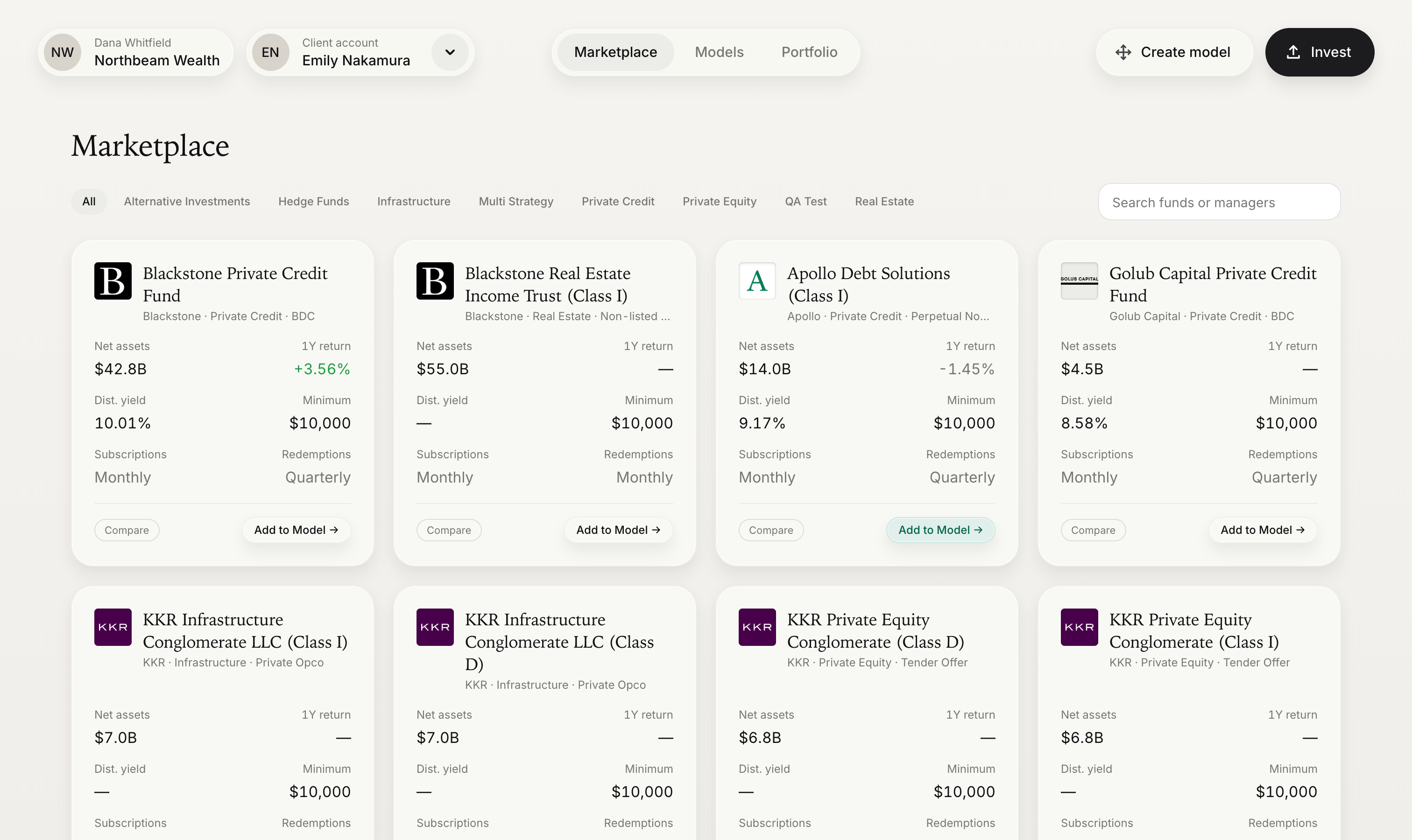
How an Investment Flows
- Identify the account. Every order is placed for an
accountId. Create the account and its owners once, then reuse it. - Present the catalogue. List the available funds, with the entry minimum of each.
- Present the fund. Show terms, liquidity, share classes, NAV history, fees, and documents so the user can make an informed decision.
- Evaluate requirements. Ask Monark which disclosures, signatures, and questionnaires apply to this account, advisor, fund, share class, and side.
- Complete requirements. Collect each acknowledgement or answer in your UI and report it to Monark.
- Submit the order. Send a
Buyorder in dollars, or aSellorder in shares. Inspect thestatusof the response. - Track to settlement. Follow the order until it reaches
Settled, at which point it is reflected in the account's positions.
Model portfolio platforms follow the same sequence, but evaluate requirements and submit orders for many accounts at once. See Model Orders and the Rebalancing Guide.
Before You Begin
| Requirement | Detail |
|---|---|
| API key | Keys are issued per environment. See Getting Started. |
| Custodians | Each client account is held at a custodian that Monark sets up for your platform as a Financial Institution. Its financialInstitutionId is required when you create persons, entities, accounts, and model orders, and it filters order and position queries. List yours with Get all Financial Institutions. |
| Fund entitlements | Funds are enabled per custodian. An order for a fund that the account's custodian is not enabled for is rejected with FinancialInstitutionFundAccessDenied. Contact Monark to enable funds. |
| Accounts | Each investing client needs an account with its owners and a current accreditation. See Accounts & Eligibility. |
| Advisors | Advisor-led platforms need a financialAdvisorId for each advisor who places orders. See Create a Financial Advisor. |
Environments & Conventions
Omnibus is a JSON REST API. Fund, order and position endpoints sit under /primary/v1/omnibus, and account, document and webhook endpoints are shared with Monark's other products.
| Item | Detail |
|---|---|
| Sandbox | https://sandbox-api.monark-markets.com |
| Production | Base URL provided by Monark at go-live |
| Authentication | API key in the Authorization header on every request. Request one at [email protected] |
| Version | GET /primary/v1/version. These guides reflect API version 1.5.26. Order netting requires API version 1.6.0 or later |
| Formats | JSON. Timestamps are UTC (fields ending in AtUtc), amounts are USD |
| Errors | Order endpoints return status, statusReasonCode and message in their own response body. Validation failures return 400 with an errors map keyed by field. Other errors return problem details with status and detail. See Errors & Reason Codes |
Pagination. List endpoints accept page (default 1) and pageSize (default 25, maximum 1000), and return an items array alongside a pagination object:
{
  "items": [],
  "pagination": { "totalRecords": 65, "totalPages": 3, "currentPage": 1 }
}
Duplicate protection. Every order and model order needs a referenceId that is unique across your platform. Resubmitting a referenceId that has already been used is refused with 409 (DuplicateReferenceId), so retrying a timed-out request with the same referenceId can never create a second order. The later model order steps are just as safe to retry: a batch of lines that was already added is refused with DuplicateOrderReferenceId, and a model order that was already completed with ModelOrderNotDraft. POST requests also accept an optional IdempotencyKey header, valid for 24 hours, but it is best-effort. Rely on referenceId.
Webhooks. Order, funding and distribution events are delivered by webhook, so your platform does not need to poll for status changes. See Webhooks.
Units. Buy orders are denominated in dollars (notionalAmount, up to 2 decimal places). Sell orders are denominated in shares (quantity, up to 6 decimal places). Only USD is supported.
Enumerations. Send enum values exactly as documented: Buy and Sell, Cash and Drip, and FIFO, LIFO, HCFO, or LCFO. Responses always use these spellings.
Identifiers
| Field | Set on | Purpose |
|---|---|---|
id | Every object | Monark's identifier. Use it in request paths. Orders and model orders also carry an externalId |
referenceId | Persons, orders, model orders, and each model order line | Your identifier for the record. Order and model order references must be unique across your platform |
externalAccountNumber | Accounts | The custodian's account number for the client. Stored trimmed and upper-cased, unique per custodian, and returned on every order for the account |
modelId | Orders and model orders | Your identifier for the model or rebalance that produced the order |
Data Model
Every client account belongs to one custodian, which the API calls a Financial Institution. Orders, positions and dividends all hang off the account.
flowchart LR
    P[Partner] --> FI[Financial Institution<br/>custodian]
    FI --> A[Account]
    A --> OW[Person or Entity<br/>owners]
    A --> ORD[Order]
    MO[Model order] --> ORD
    ORD --> SC[Share class]
    F[Fund] --> SC
    F --> FEE[Fee structure]
    SC --> NAV[NAV report]
    A --> POS[Position]
    POS --> LOT[Lot]
    LOT --> DIV[Dividend]
Arrows point from parent to child. A model order's lines become individual orders, one per client account.
| Object | Endpoint | Notes |
|---|---|---|
| Financial Institution | /primary/v1/financial-institution | One per custodian, set up by Monark, which also sets the custodian's custody model for each fund and share class. You can add your own reference with PUT /primary/v1/financial-institution/reference |
| Person, Entity | /primary/v2/person, /primary/v2/entity | Account owners, with identity and tax details |
| Account | /primary/v2/account | Belongs to one Financial Institution. Carries registration type and accreditation, which every account needs before it can order |
| Financial advisor | /primary/v1/financial-advisor | The advisor acting for the account, where there is one. Requirements are evaluated for the account and advisor together |
| Fund, Share class | /primary/v1/omnibus/fund, /primary/v1/omnibus/share-class | Read only. A fund carries terms, liquidity cadence and investor eligibility; a share class is what orders trade, with its own minimums, NAV and fees. Add includeDocuments=true to a fund request for its prospectus, fact card and other documents, or use GET /primary/v2/document?omnibusFundId=<fund id> |
| NAV report, Fee structure | /primary/v1/omnibus/nav-report, /primary/v1/omnibus/fee-structure | Read only. Each fee belongs to either a fund or a share class |
| Order action | /primary/v1/omnibus/order-action | Disclosures, acknowledgements, e-signatures and questionnaires checked before an order is created, and actions attached after |
| Order, Model order | /primary/v1/omnibus/order, /primary/v1/omnibus/model-order | An order is a single Buy or Sell for one account. A model order groups one order per account, all for the same fund, share class and side. Each order carries its fills and settlement items |
| Position, Lot | /primary/v1/omnibus/positions | One position per account, share class and distribution election. Add includeLots=true for lots |
| Dividend | /primary/v1/omnibus/dividends | One row per lot per distribution |
Order Lifecycle
| Status | Meaning | Terminal |
|---|---|---|
Draft | A model order that is still taking lines (model orders only). A draft that is not completed by 1:00 AM Eastern is cancelled with DraftExpired. | No |
Processing | A completed model order that Monark is checking. It moves to Received, or to Rejected or Failed, and a webhook is sent (model orders only). | No |
Received | The order passed Monark's checks and was recorded. It has not yet been accepted for execution. | No |
PendingActions | The order exists, but order actions must be completed before it is processed (individual orders only). | No |
PendingExecution | The order was accepted for execution and is waiting for Monark's cutoff or the netting queue. A partly netted order stays here until its remainder goes to the transfer agent or expires. | No |
Executed | The order has been sent to the transfer agent and is awaiting its confirmation. Nothing more is filled until then, though a netting order may already have netting fills. | No |
Settled | The transfer agent has confirmed the order, or it was filled in the netting queue. Fills are recorded and the order is reflected in positions. A gated redemption, or a netting order whose remainder expired, can settle with a remaining amount. | Yes |
Cancelled | The order was cancelled before Monark's cutoff, or it was a netting order that reached its deadline with nothing filled. | Yes |
Rejected | The order was refused, either at submission or later by the transfer agent. See statusReasonCode. | Yes |
Failed | The order could not be processed. See statusReasonCode. | Yes |
Important: An HTTP
201from an order endpoint means the request was processed, not that the order was accepted. A refused order can be returned as201with astatusofRejected. Always branch onstatus, and show the returnedmessageto the user.
When you're ready to go live, work through the Go-Live Checklist.
Updated 27 days ago