
Company View
If a user clicks on a company, it should open a “Company Page” view. This can be retrieved through the below endpoints, passing along the relevant company’s ID.
/primary/v1/pre-ipo-company/{id}Use Case
In order to provide users with sufficient information they need to get comfortable with an investment, your platform should include a “Company Page” that opens when a user clicks on a specific private company (not to be confused with an investment opportunity/SPV). The company page should also prominently display upcoming and currently available investment opportunities.
Monark provides market data from third party sources that gives you the information you need to show investors to give them the confidence to properly diligence a company before investing. See the sections described below for some sample company page UI page elements. All of the elements can be combined to create a frontend view that provides an end to end understanding of the underlying company.
Investment Opportunities
In your company view, prominently show investment opportunity cards through which users can submit IOIs to upcoming deals and subscriptions to currently live SPV offerings.
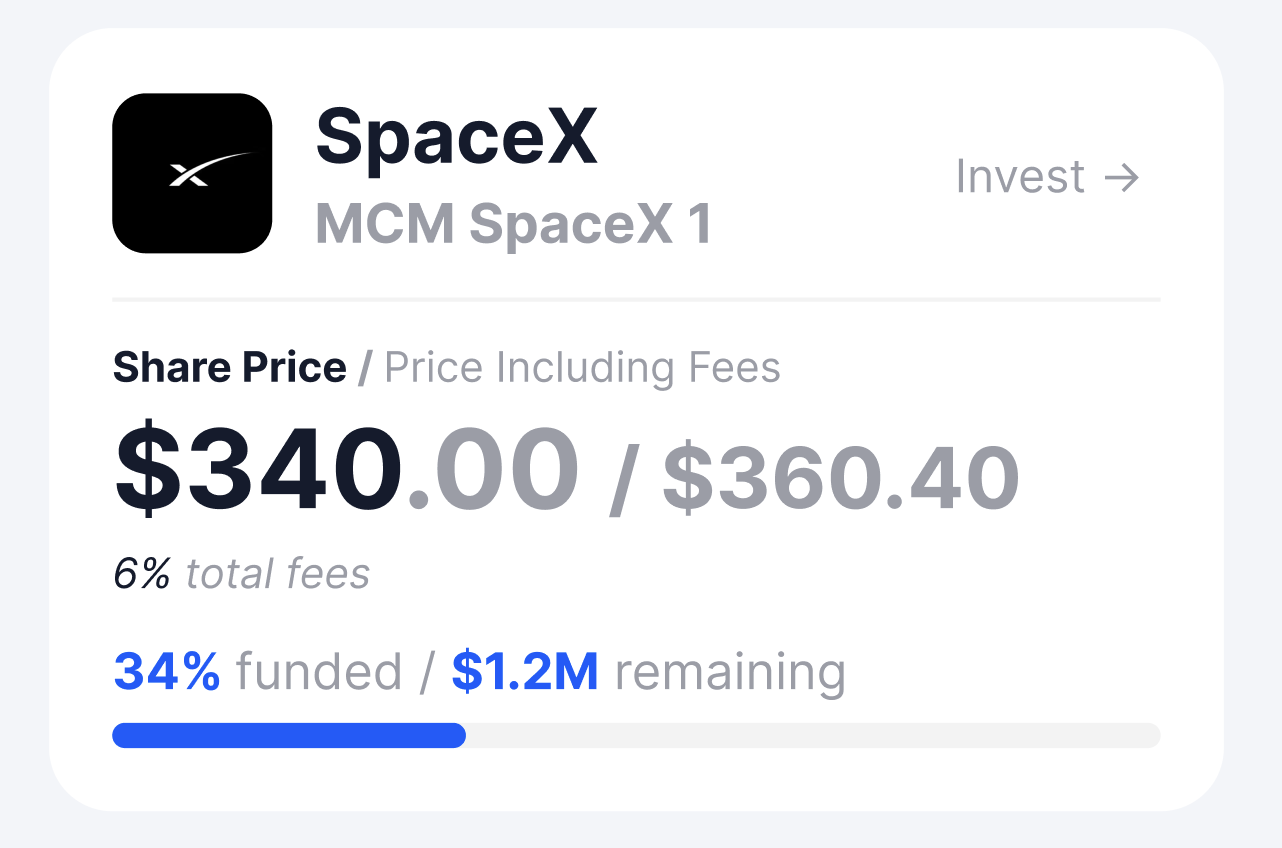
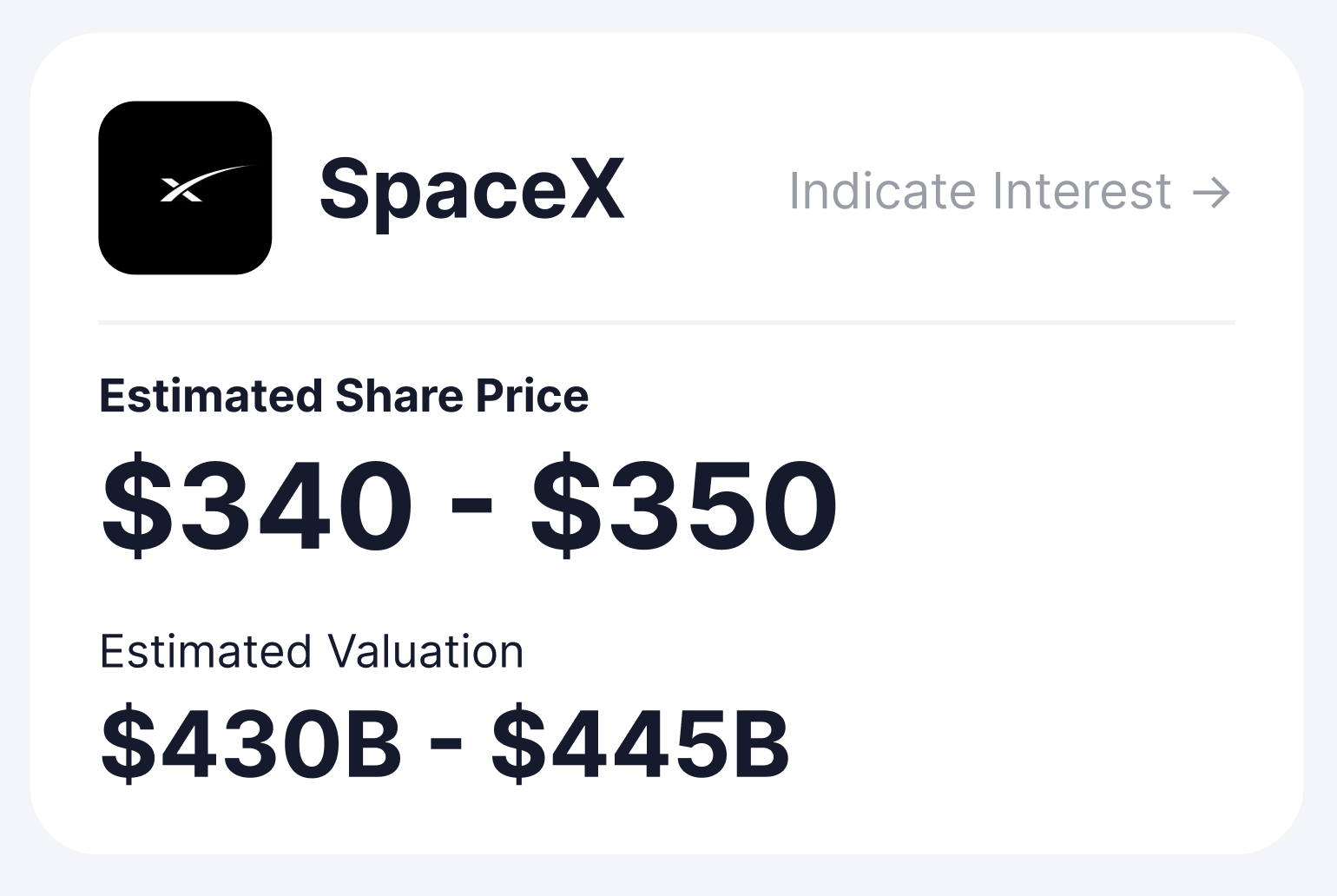
Sample Deal Cards
Active Deal (Opens up SPV view)
Upcoming Offering (Opens up IOI Submission View)
News Events
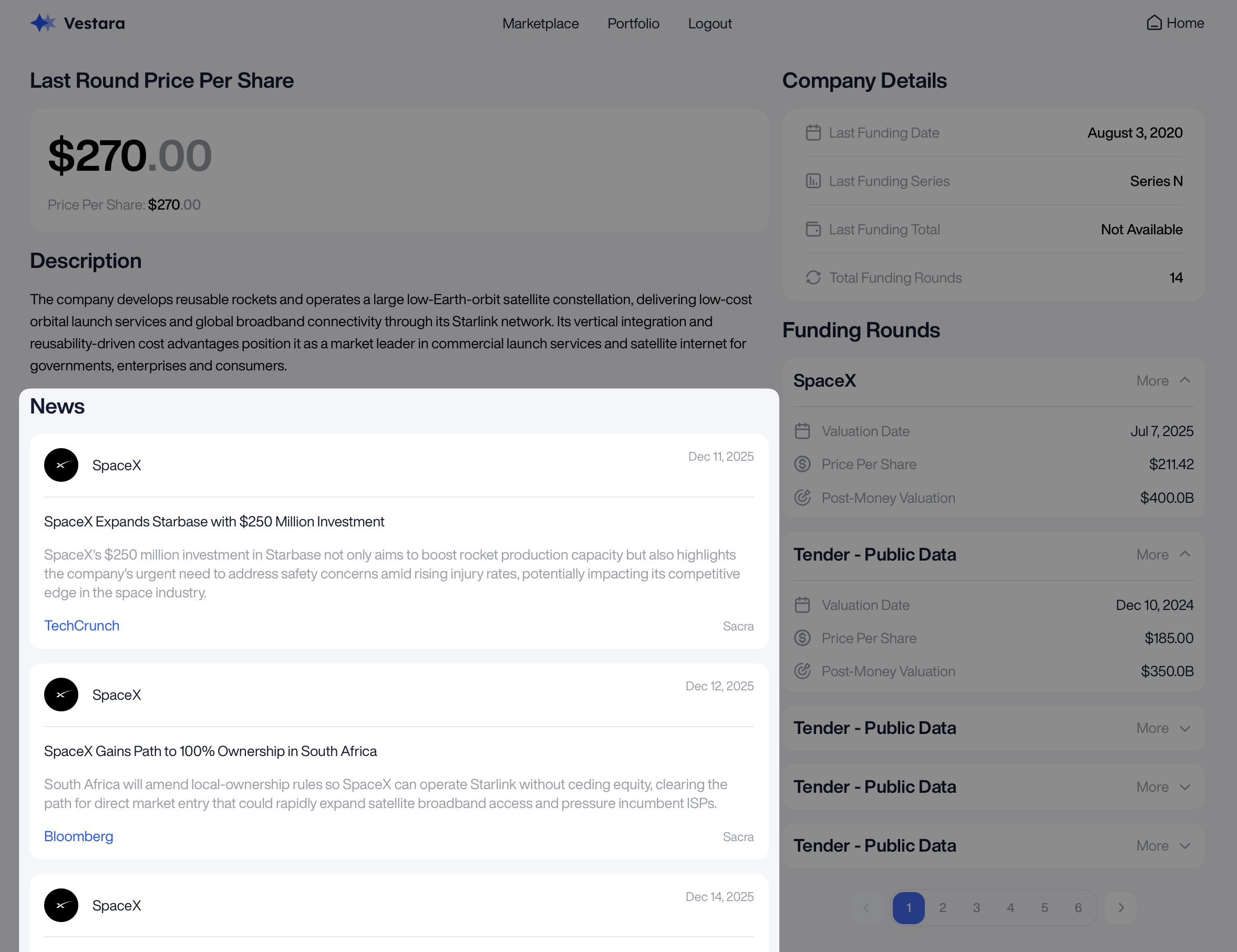
News events provide users with a consistently updated view on the latest news associated with the company that they are browsing. News provided through Monark APIs include support for 800+ private companies, helping ensure that investors stay informed prior to making an investment decision.
/primary/v1/pre-ipo-company-news
/primary/v1/pre-ipo-company-news/{id}
Note regarding News Events: Each “event” contains a top level entity that describes the “real world” event such as a tender offer (below), executive leadership change, significant business development, etc. Each top level entity is supplemented by an array of objects that provide links to supporting articles that are associated with the event. The title and description fields (red box), along with the supporting articles and hyperlinks (blue box) can be used to create a user interface like the one shown below. News Events should be shown in reverse chronological order.
Sample UI
Funding History
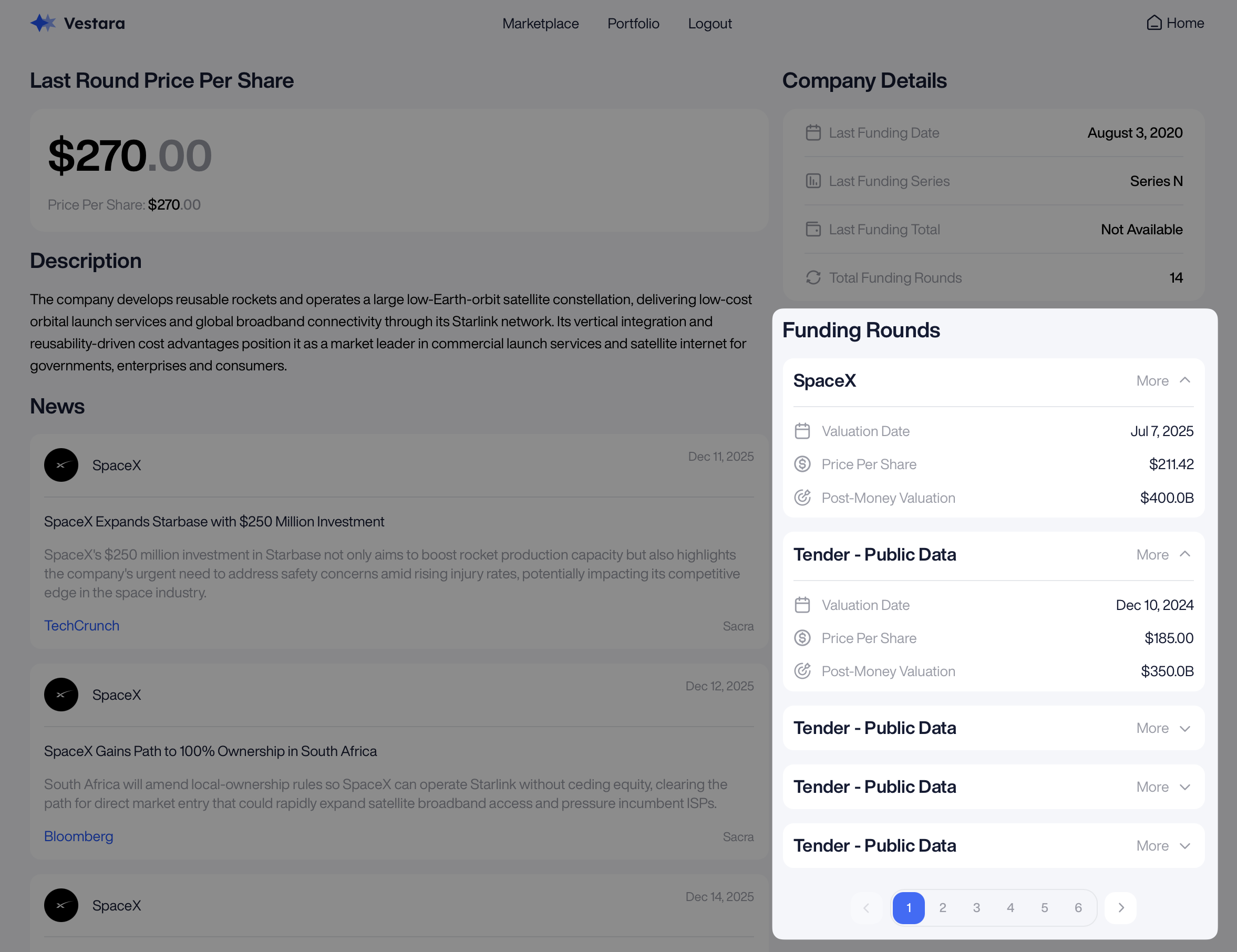
When navigating a private company page, users should also be able to review the company’s funding round history. This will help provide them with an understanding of the company’s financial health and history.
/primary/v1/pre-ipo-company-funding-round
/primary/v1/pre-ipo-company-funding-round/{id}
Note: the funding round history can be shown as a list of rows, as shown below. Each row may be used to represent an individual funding round, and dropdown shelves can be used to highlight the details of each funding round. It is recommended that frontend views represent funding round data in reverse chronological order, to ensure that the most recent data is shown first.
Sample UI
Third Party Research
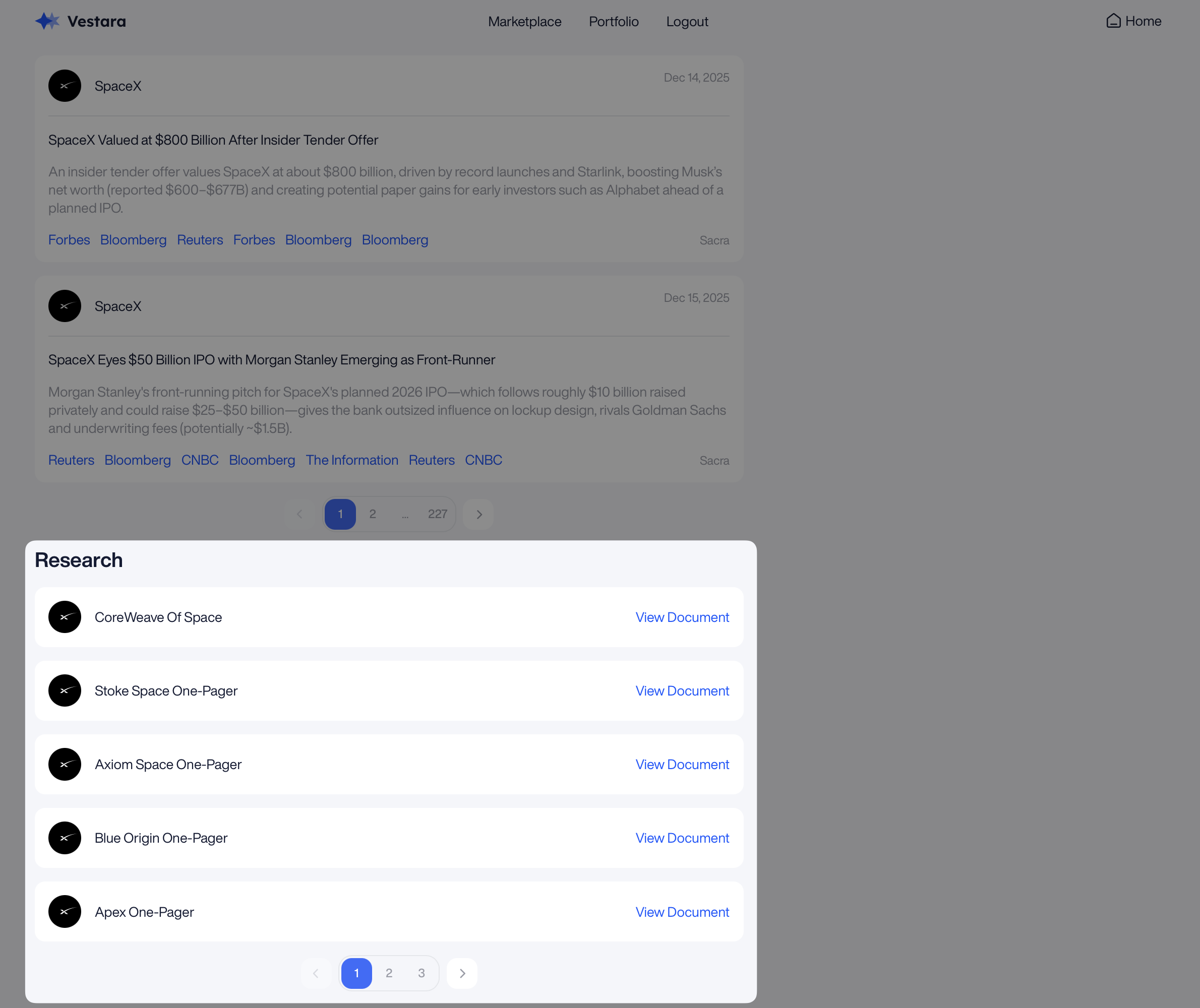
Monark also provides a number of research documents, containing information from Sacra, a Monark data vendor partner. These research reports, prepared by Sacra, have helped investors gather a clearer understanding of the company’s strategy, competitive landscape, revenue model, and more. Here are a few examples of some research reports that are delivered through the APIs:
Document Relations
The relation field of a research document can be set to either SUBJECT or CONNECTED. Documents with a relation of SUBJECT are directly correlated with the company associated with the document. Documents with a relation of CONNECTED are not directly correlated with the company associated with the document, but rather another company in a "connected" field or industry. Understanding the different relations of research documents may be helpful when deciding which research documents to display to users through a frontend platform.
/primary/v1/pre-ipo-company-research/
/primary/v1/pre-ipo-company-research/{id}
Note regarding research: Make sure to filter by relation = SUBJECT and show the research documents in reverse chronological order for the best frontend experience.
Further, the screenshot below shows the relation field value in the frontend - this is for demo purposes only and the relation value SHOULD NOT be shown to investors on the frontend.
Sample UI
Updated 8 months ago