
Portfolio View
Using the newly created subscription data, we can now show a “Portfolio” view of the user’s currently held alternative investments. This information can be retrieved using the below endpoint:
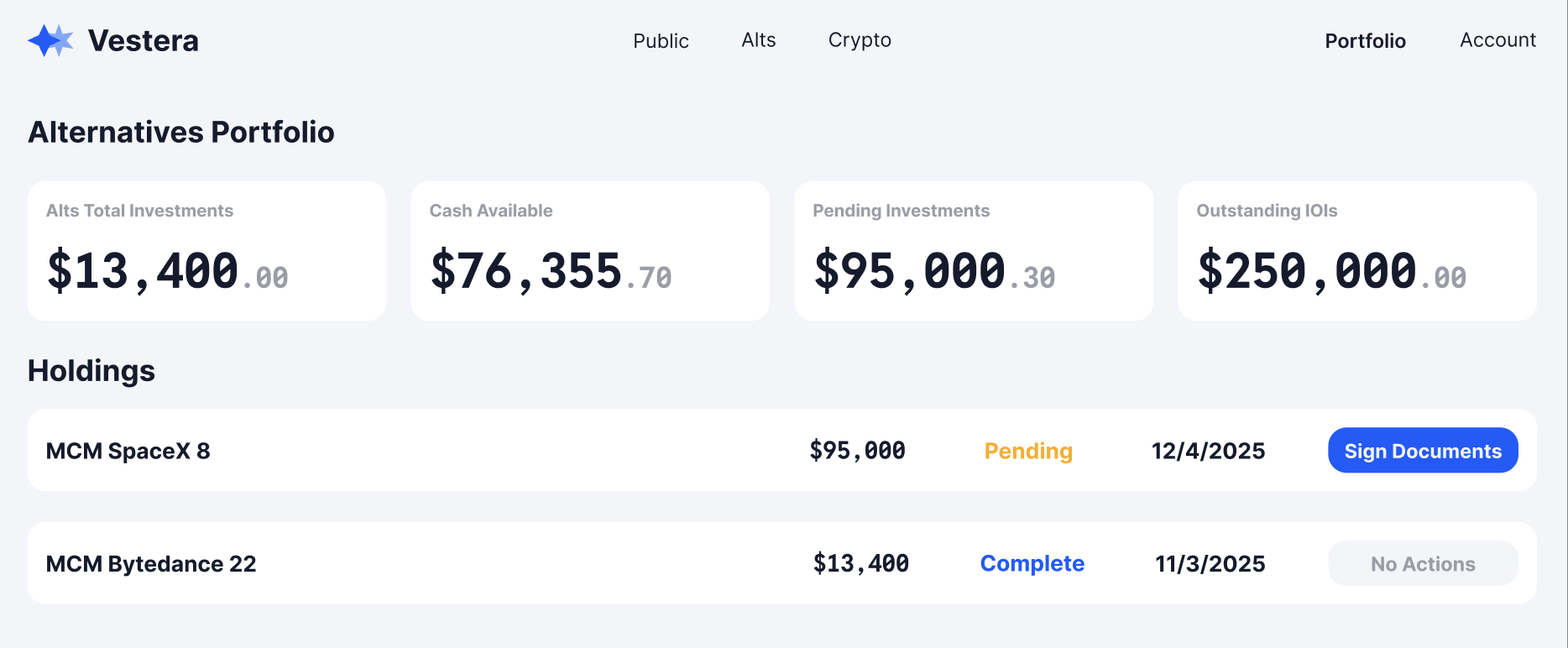
/primary/v2/transaction/investor/{investorId}A basic portfolio view may start simple and show only the total notional value of an investor’s holdings along with any outstanding IOIs. Each SPV should show, at minimum, the following information from the endpoint above:
- Name
- Notional amount
- Status
- Date of investment
- Action button to sign documents (complete investor actions). This button should be shown if all the actions were not completed by the investor, and the Transaction status is in PENDING.
Sample UI
Updated 8 months ago
Did this page help you?