
Indications of Interest
Let investors register non-binding interest in an upcoming offering, and keep it genuinely non-binding.
Integrating through Apex AscendOS?The product guidance on this page applies to you. The endpoints, fields and statuses are Monark's; use the AscendOS equivalents listed in Building on Apex AscendOS.
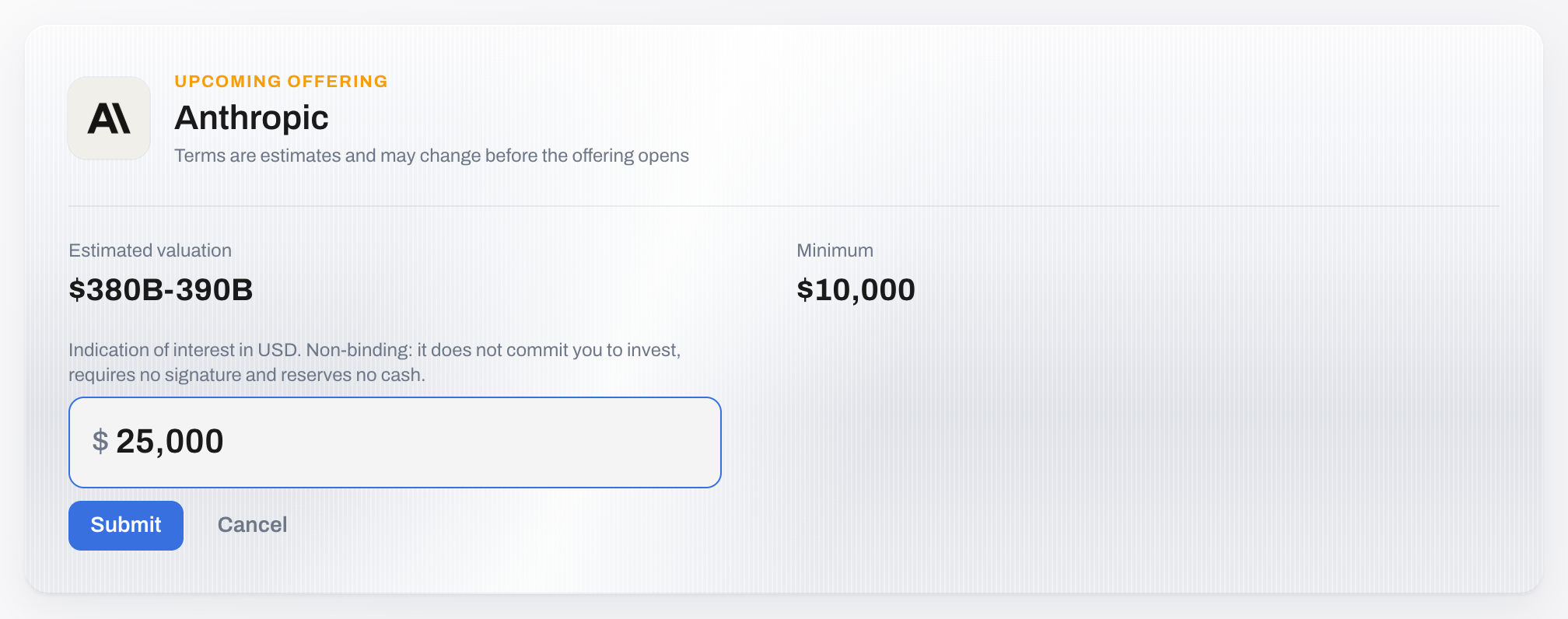
Before Monark commits to sourcing shares for an SPV, it tests demand with a prospective offering — a potential deal whose terms are given as ranges rather than fixed numbers. Investors respond with an indication of interest: a dollar figure that signals appetite and commits them to nothing.
Aggregated indications are what tell Monark whether to source a deal, and at what size. A platform that collects them well gets better deal flow.
Monark endpoints used
| Method | Endpoint | Purpose |
|---|---|---|
GET | /primary/v1/prospective-offering/financial-institution/{financialInstitutionId} | The upcoming offerings available to you |
POST | /primary/v2/indication-of-interest | Register interest |
GET | /primary/v2/indication-of-interest | Read an investor's indications |
Note: A v1 indication-of-interest family also exists. Use v2 for new work.
The rule that governs this whole surface
Important: An indication of interest is strictly non-binding, and your UI must make that unmistakable. Do not require a signature. Do not run a cash balance check. Do not gate it behind any step you would apply to a real subscription. An investor must be able to express interest in seconds and walk away with no obligation.
This is not a stylistic preference. Treating an indication as if it were an order misrepresents the instrument, and it suppresses exactly the signal Monark needs.
Register interest
POST /primary/v2/indication-of-interest{
"investorId": "{investorId}",
"targetAssetType": "ProspectiveOffering",
"targetId": "{prospectiveOfferingId}",
"notionalAmount": 50000,
"currency": "USD"
}Important:
targetIdis the prospective offering's id, not the company's. An indication targets a specific potential deal — the company, the structure and the price band together — not the company in general.
| Field | Required | Notes |
|---|---|---|
investorId, advisorId or accountId | Exactly one | Who the indication is for. It must belong to your partner. |
targetId | Yes | The prospective offering, company or fund the indication is for |
targetAssetType | Yes | ProspectiveOffering, PreIPOCompany or RegisteredFund |
notionalAmount | Yes | Dollar amount, greater than zero |
currency | Yes | USD. Other currencies are refused. |
numberOfClients | No | For an advisor indication that aggregates clients, how many it represents. Greater than zero. |
| Status | Meaning |
|---|---|
201 | Created. The body is the new indication of interest. |
400 | A field is missing or invalid: not exactly one of investorId, advisorId and accountId, a currency other than USD, or an amount of zero or less. |
403 | The investor, advisor or account does not belong to your partner, or the investor's status is not Limited or Active. |
404 | The target was not found. |
Note: Here an id that is not yours returns
403, and so does an id that does not exist. Reads behave differently: another partner's record returns404(see Data Access Patterns).
Presenting a prospective offering
Terms are ranges, and they should read as ranges. An investor shown "$100–120 per share" and "$10–12B valuation" understands they are looking at something provisional; one shown a single number does not.
| UI element | Monark field | Notes |
|---|---|---|
| Company | targetName, or resolved from the target | What the prospective SPV would hold |
| Price range | The offering's estimated price fields | Present as a band |
| Valuation range | The offering's estimated valuation fields | Present as a band |
| Status | The offering's status | Whether it is still collecting interest |
| Action | id | Opens the interest form |
Label the card Upcoming alongside your live offerings, and label the action something like "Register interest" — never "Invest".
What happens next
An indication is a signal, not a queue position. Monark aggregates demand across partners and decides whether to source the deal.
| Webhook | Meaning | What to do |
|---|---|---|
ProspectiveOfferingAccessGained | Your institution can now see a prospective offering | Show it as upcoming and open the interest form |
ProspectiveOfferingAccessLost | That access is withdrawn | Remove it and stop accepting indications |
IndicationOfInterestClosed | The offering has stopped collecting interest | Close the form |
When a prospective offering becomes a real SPV, the investors who registered interest are the ones to notify first. Keep your own record of who indicated on what — Monark's aggregation is for its own sourcing decisions, and your relationship with the investor is yours to manage.
Note: An indication does not become a subscription, and does not reserve an allocation. When the SPV opens, an investor who indicated must still place a real order, subject to every rule in Submit an Order. Say so on the form, so nobody believes they have secured a place.
Implementation notes
- Let them change their mind. An indication can be updated or withdrawn. An investor whose circumstances changed should not have to contact support.
- Ask for a number, not a commitment. The amount is the useful part of the signal. A boolean "interested" tells Monark far less.
- Do not require accreditation to indicate. You will need it before they can subscribe, but demanding it up front costs you the signal. Collect it when the real offering opens — see Accreditation.
Next steps
- When the offering becomes real: SPV View
- What an investor reads before committing: Company View
Updated 12 days ago