
Marketplace
A “marketplace” view of different companies helps new investors organically discover alternative asset investment opportunities. There are three components that should be included in private company marketplace pages:
- Active Offerings: Currently available investment opportunities
- Upcoming Offerings: Upcoming deals that users can submit Indications of Interest ("IOIs") against
- Private Companies: List of private companies, which users can add to their watchlist to get notified of new updates
This page will walk through a sample UI implementation of the three components.
Active Offerings
A key element of the marketplace is a view of currently active investment opportunities. A list of opportunities may be retrieved using the following endpoint:
/v1/pre-ipo-company-spv/investor/{investorId}The data from the above endpoint may be filtered using the state field to show only opportunities that are currently available for investment. Filter by state = OPEN to show opportunities that are available for investment. You may also pull individual information on a single investment by using the /alternativeInvestment/ endpoint.
Sample UI
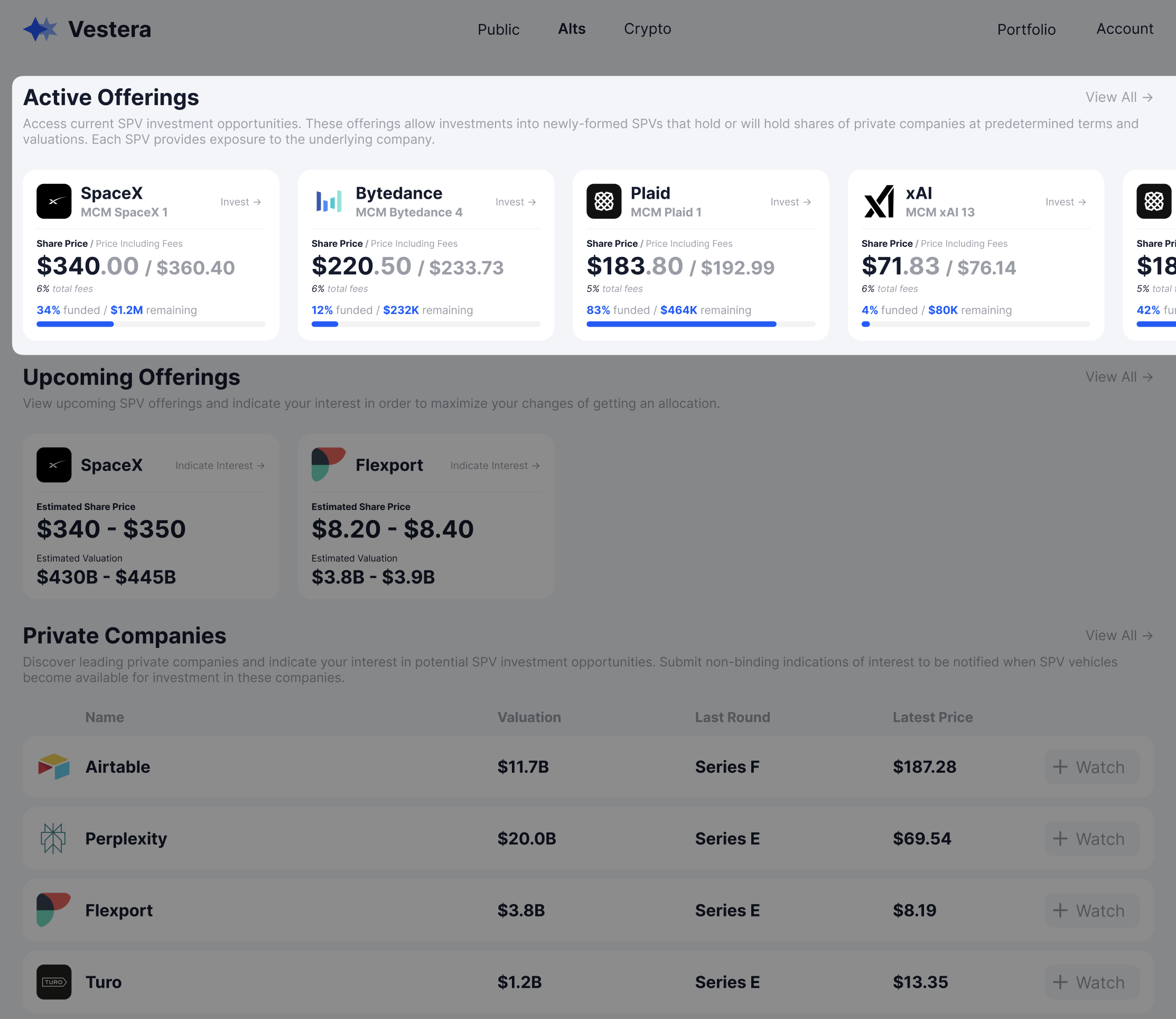
Note: Individual opportunities may only be shown to accredited investors. Please see the "Accreditation" page for more details.
If a user clicks on an opportunity, it should open a “SPV view". See the SPV View page in the Private Company Investing section of the implementation guide for more information.
The exact data fields you choose to display on your UI is up to you - see below for a sample UI implementation of a "Card-based" view that shows key information about the deal:
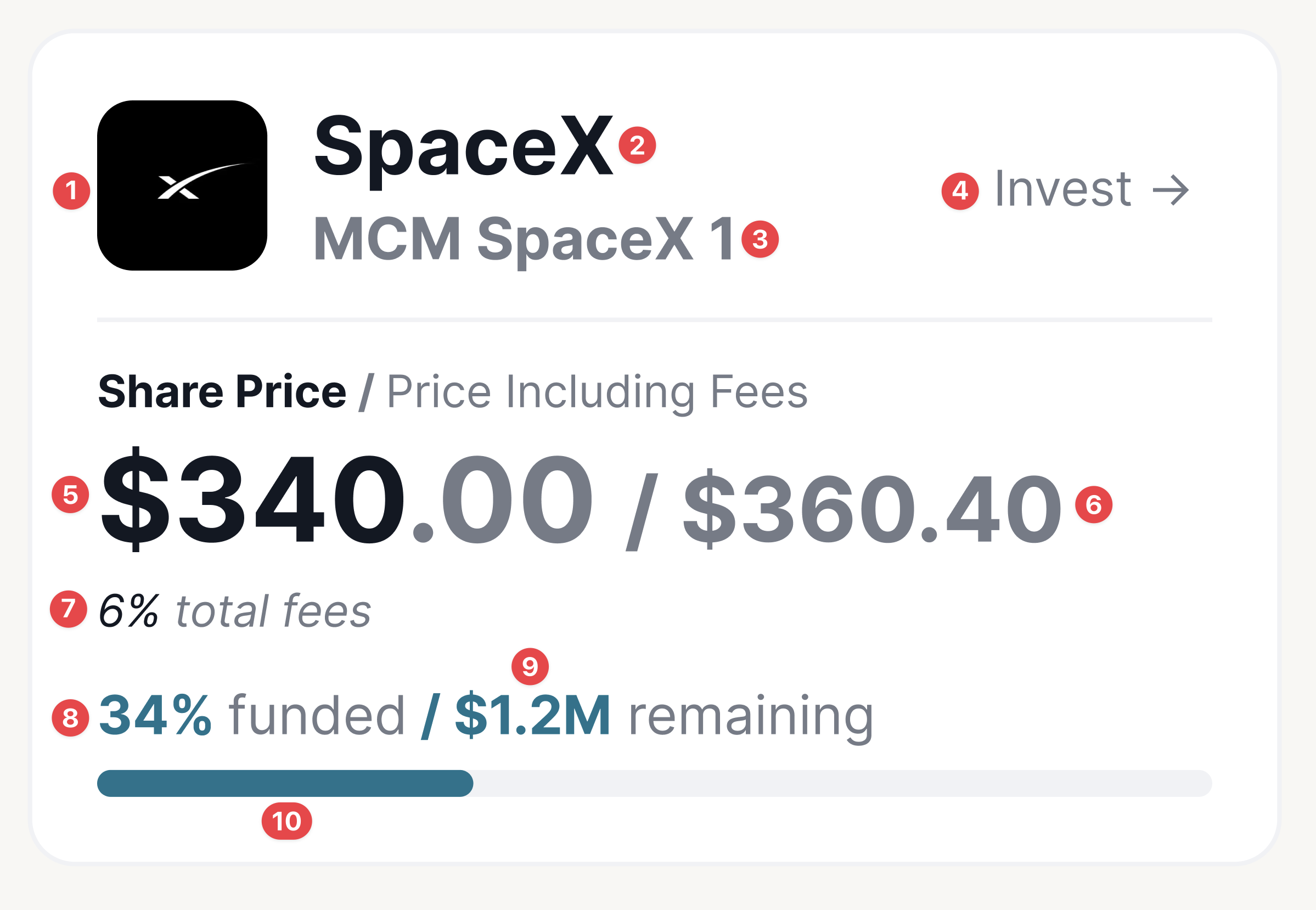
Required Context:
Company = PreIPOCompany for given PreIPOCompanySPV
SPV = PreIPOCompanySPV
Data Fields Legend:
Logo: Company.logoUrl
Company Name: SPV.preIPOCompanyName
SPV Name: SPV.name
Invest Button: Clicking on any part of the card should open up the SPV page
Share Price: SPV.investorPricePerShare
Price Including Fees: SPV.allInPricePerShare
Total fees: SPV.allInPricePerShare / SPV.investorPricePerShare - 1
Percent Funded: SPV.remainingDollarAllocation / SPV.totalDollarAllocation
Remaining Allocation: SPV.remainingDollarAllocation
Percent Funded Progress Bar: SPV.remainingDollarAllocation / SPV.totalDollarAllocation
Upcoming Offerings
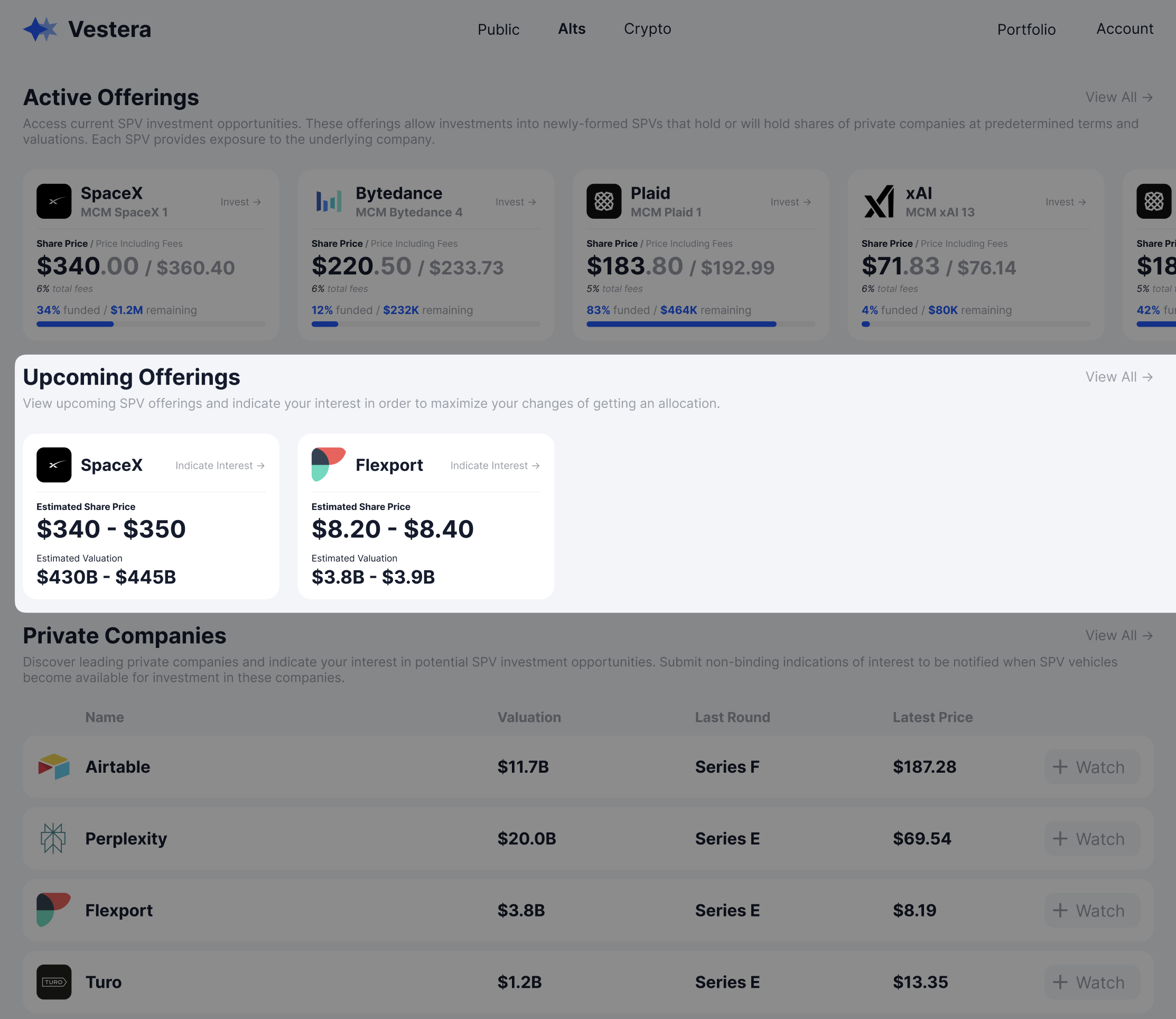
Upcoming offers is an extremely important market mechanic through which Monark sends potential deal supply in order to gauge investor interest potential upcoming offerings. Investors should be given an option to submit indications of interest (see the Indications of Interest page for more details) against each upcoming deal, which Monark will then aggregate to size an upcoming deal.
/primary/v1/prospective-offering/financial-institution/{financialInstitutionId}- id
- companyId
- companyName
- companyLogo
- minimumInvestment
- estimatedPricePerShareText
- createdAt
- estimatedValuationText
Sample UI
Private Companies
Private companies provide users an opportunity to explore different companies and opt into notifications about any potential new offerings. Monark also uses the watchlist functionality in order to gauge interest in companies not covered by our available supply. A list of all companies can be accessed through the following endpoint:
/primary/v1/pre-ipo-companySample UI
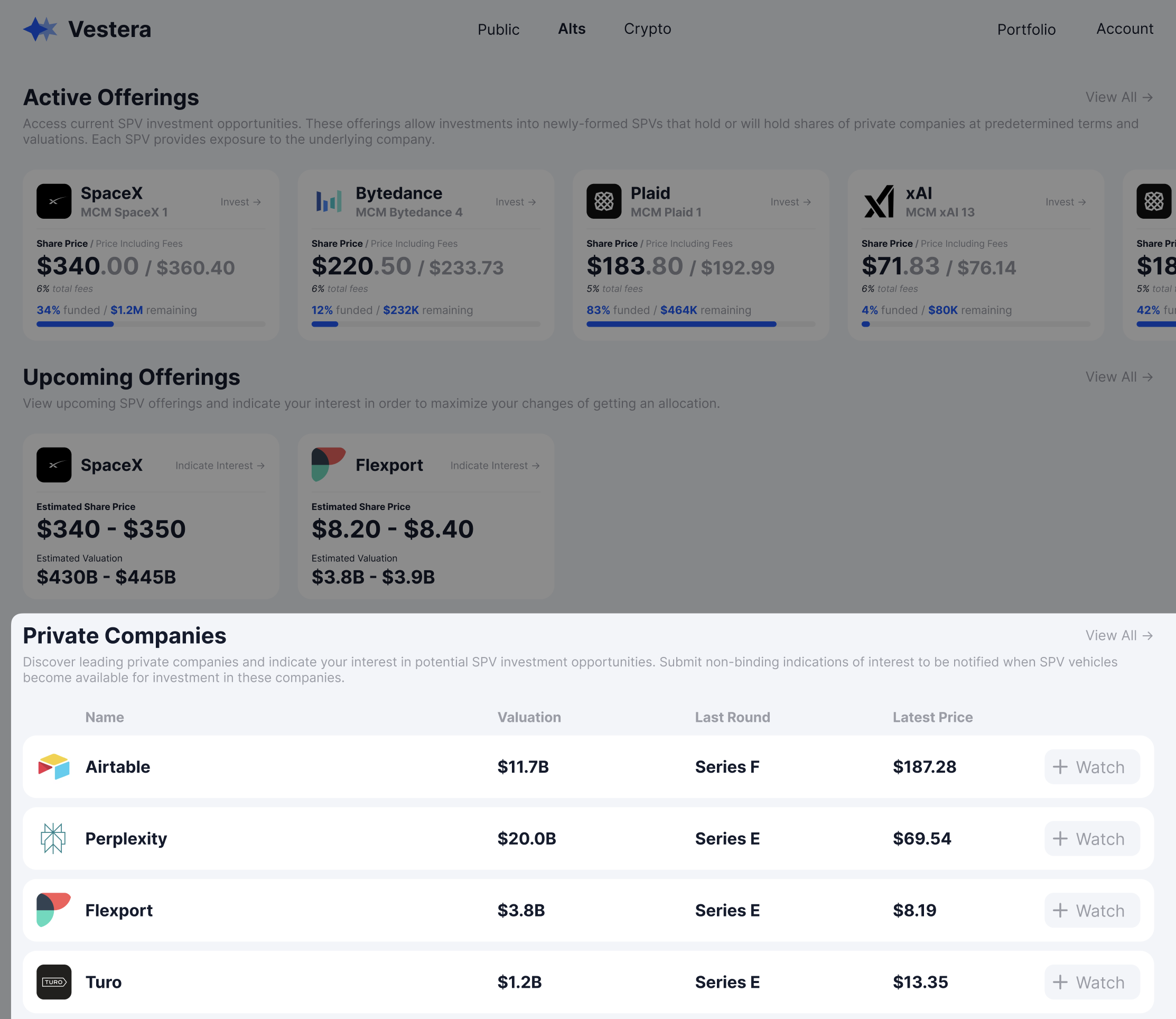
Note: the wording “Pre-IPO Companies” used in our endpoints and documentation is not necessarily required - some platforms may choose to call it “Private Companies” or a similarly generic name.
The information and data fields you choose to show in your marketplace is entirely up to you - the above example shows metrics that highlight only minimal information about the company’s valuation and funding. Some useful fields include:
- Name
- Latest funding round valuation
- Total funding amount
- Logo
- Description
- Region
- Categories / Tags
- Website link
Watchlist
Each company should prominently display a "Add to Watchlist" button that will allow investors to sign up for updates about the company including upcoming deals, new offerings, and news.
Watchlist endpoints will be provided through a new Watchlist endpoint and will be supported in the next 1-2 weeks. Fields that will be provided include:
- id
- investorId
- advisorId
- targetId
- targetAssetType
- targetName
Updated about 1 month ago