
Transaction Actions
The disclosures, acknowledgements, signatures and questionnaires an investor must complete before a subscription becomes binding, and the order to complete them in.
Integrating through Apex AscendOS?The product guidance on this page applies to you. The endpoints, fields and statuses are Monark's; use the AscendOS equivalents listed in Building on Apex AscendOS.
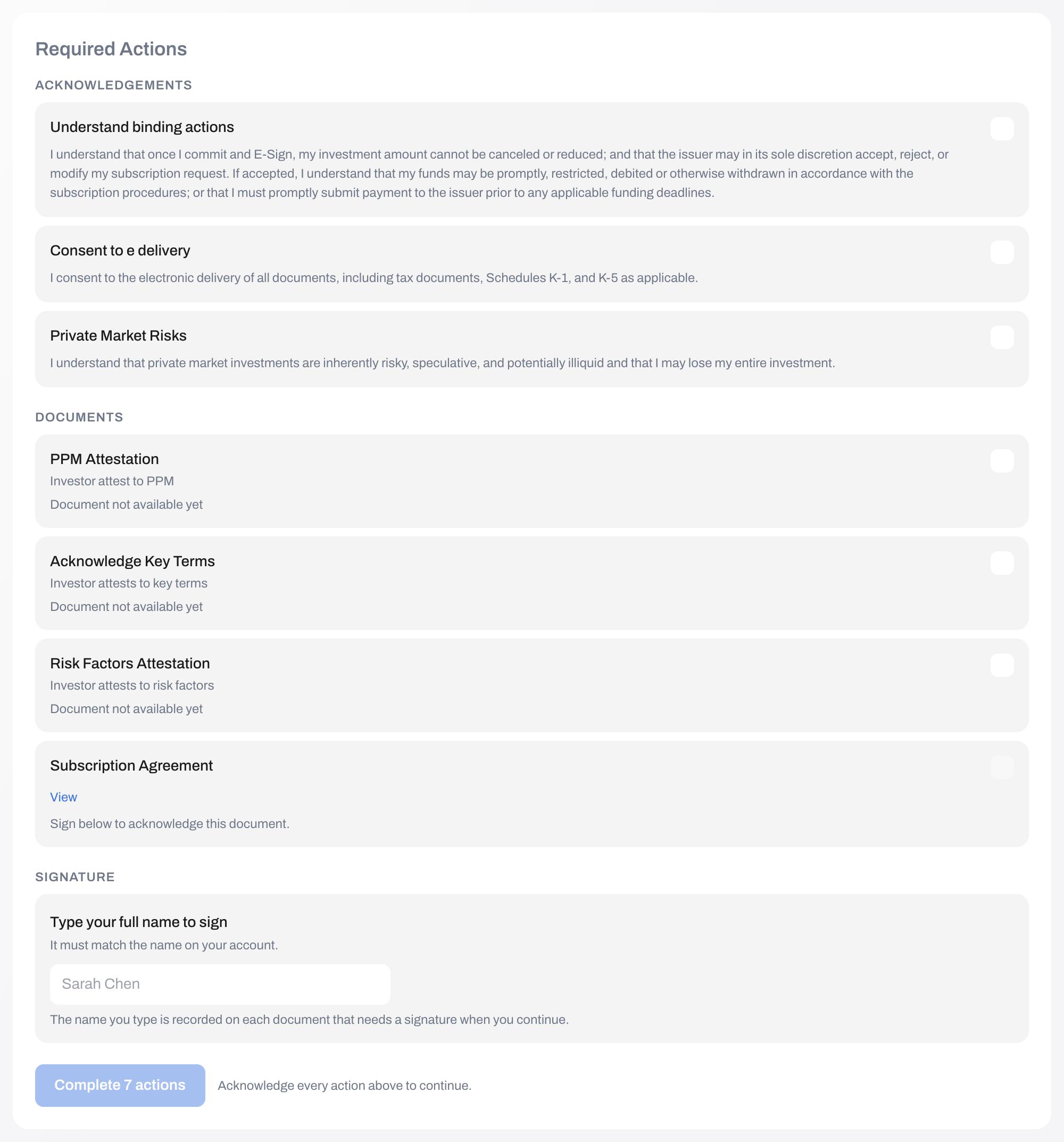
Creating a transaction does not commit the investor to anything. What makes a subscription binding is completing the actions Monark attaches to it: the disclosures to read, the acknowledgements to give, the subscription agreement to sign, and any questionnaire the offering requires.
This page is the one to read carefully. The completion sequence is not the obvious one, and the obvious one leaves transactions stranded.
Monark endpoints used
| Method | Endpoint | Purpose |
|---|---|---|
GET | /primary/v2/transaction-action/transaction/{transactionId} | List the actions for a transaction |
GET | /primary/v2/document?transactionId={id} | Fetch the documents the actions refer to |
POST | /primary/v2/document/{id}/sign | Sign a document and record the signature |
PUT | /primary/v2/transaction-action/{id}/complete | Complete one action |
PUT | /primary/v2/transaction-action/transaction/{id}/complete-all | Complete every pending action |
Workflow
- List the actions for the transaction.
- Keep the ones that are yours. Filter on
responsibleParty. - Fetch the documents and map them to the actions that reference them.
- Present each action according to its
type. - Sign the documents, then complete a non-signature action last so the transaction is promoted. The order matters — see The completion order.
- Re-read the transaction and confirm it reached
Processing.
List the actions
GET /primary/v2/transaction-action/transaction/{transactionId}Note: This endpoint returns a bare JSON array, not the
{ items, pagination }envelope the rest of the API uses. It is not paginated.
[
  {
    "id": "0194f1c2-0000-7000-8000-000000000001",
    "transactionId": "0194f1b0-0000-7000-8000-0000000000aa",
    "name": "Subscription Agreement",
    "description": "Review and sign the subscription agreement for this offering.",
    "dataId": "0194f1d3-0000-7000-8000-000000000031",
    "type": "DocumentSign",
    "status": "Pending",
    "responsibleParty": "Investor",
    "actionText": null,
    "markdownText": null
  }
]
Actions are instantiated per transaction at creation time, from definitions attached to the SPV. They are also investor-specific: a questionnaire that resolves to no questions for this investor is not created at all. Never hard-code the action list — read it, every time.
Responsible parties
| Value | Whose action it is |
|---|---|
Investor | The investor. Yours to present and complete. |
Partner | Your platform. Yours to complete. |
Monark | Monark's operations team. Not yours. |
Advisor | The financial advisor on the transaction, where there is one. |
CoOwner | The second owner of a joint account. |
Filter to Investor and Partner. Showing an investor an action they cannot complete is confusing, and attempting to complete somebody else's is refused.
The five action types
dataId is polymorphic — what it points at depends on the type.
type | dataId points at | How to present it |
|---|---|---|
TextAcknowledge | (unused) | Render markdownText, falling back to actionText. A checkbox is enough. |
ViewDisclosure | A document id | Render the document. Complete the action once it has been opened. |
DocumentAcknowledge | A document id | Show the document with a way to open it, plus an acknowledgement. |
DocumentSign | A document id | Show the document, collect the investor's typed name, and sign it. See below. |
Questionnaire | A questionnaire id | Present the questions and submit the answers before completing. |
markdownText carries GitHub-flavoured markdown, so acknowledgement copy can contain emphasis, lists and links. Render it as markdown rather than as plain text.
Fetch the documents
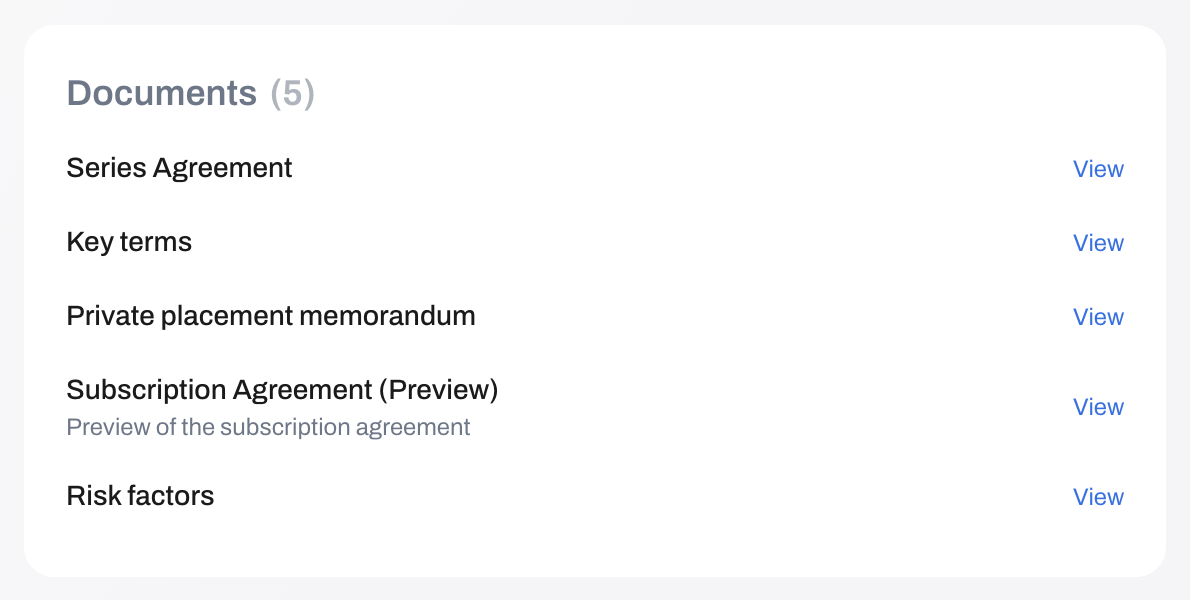
GET /primary/v2/document?transactionId={transactionId}&pageSize=100Build a map of document id to its url and name. An action's dataId is the document id, which is how you know which document a DocumentSign, DocumentAcknowledge or ViewDisclosure action refers to.
The completion order
This is where integrations go wrong, so it is worth stating plainly. Two routes complete an action, and each does only half of what you need:
| Route | Marks the action complete | Records the signature | Promotes the transaction |
|---|---|---|---|
POST /primary/v2/document/{id}/sign | Yes, as a side effect | Yes — stamps signedAt and your metadata | No |
PUT /primary/v2/transaction-action/{id}/complete | Yes | No | Yes, when it is the last pending action |
Important: Signing a document completes its action but does not run the promotion check. And
complete-allreturns204immediately when nothing is pending, promoting nothing. So the natural order — sign every document, then callcomplete-allto finish — leaves the transaction inPendingwith every action alreadyComplete, and the API reports success. Nothing can move it afterwards: completing an action that is notPendingreturns400.
The order that works:
POST /primary/v2/document/{id}/signfor eachDocumentSignaction, so the signature is recorded.PUT /primary/v2/transaction-action/{id}/completefor everything else. The final one triggers promotion.
Where a transaction's actions are all DocumentSign, there is no sequence that both records every signature and promotes. Hold one signature back and complete it through the action route instead, accepting that its signedAt will not be stamped, and tell Monark — it is an API gap, not a design you should work around silently.
Sign a document
POST /primary/v2/document/{documentId}/sign{
"investorId": "0194f1a0-0000-7000-8000-000000000007",
"metadata": "Sarah Chen"
}metadata is a free-text field for your record of the signing. The investor's typed name is the obvious thing to put there; some platforms add a timestamp, an IP address or a session id. It is stored against the document and returned on reads.
Note: Collect the typed name and send it. A signature panel that asks the investor to type their name and then discards it is theatre, and you will have nothing in your own records to show what they attested to.
Complete an action
PUT /primary/v2/transaction-action/{actionId}/completeSend an empty body. A 204 means the action is complete.
| Response | Meaning |
|---|---|
204 | Completed. |
400 | Could not complete the action as the status is not pending. Current status: Complete — already done. Treat as success; this is what a double submit looks like. |
400 | Could not complete action {id} as no answers were found for Questionnaire with questionnaireId: {dataId}. — submit the answers first. |
404 | The action does not exist, or its transaction belongs to another partner. |
The bulk route
PUT /primary/v2/transaction-action/transaction/{transactionId}/complete-allCompletes every pending action it can and skips the ones it cannot — a questionnaire without answers, for example — rather than failing the batch. It returns 204 either way, so re-read the actions afterwards rather than assuming it cleared them all.
Questionnaires
A Questionnaire action cannot be completed until its answers exist.
- Read the questionnaire at
GET /primary/v1/questionnaire/{dataId}. - Present its questions.
- Submit the answers to
POST /primary/v1/questionnaire-answer. - Complete the action.
Answers are resolved against the investor on the transaction, so they must be submitted for the same investor the transaction names.
What promotion actually requires
Completing an action triggers a check: are any actions still Pending for the same responsible party? If none are, that party's completion handler runs.
For an SPV, that handler then requires that no action of any party is still pending before it signs the subscription. So the investor finishing their actions does not promote the transaction while a partner action is outstanding, and vice versa.
When the last action of all falls, Monark signs the subscription with the fund administrator. That step re-validates everything: the SPV's stage, the investor's status, the amount against the remaining allocation, and the seats remaining. A subscription accepted at creation can still fail here if another investor filled the raise in the meantime — the transaction lands in Failed, and the cash you reserved must be released.
On success the transaction becomes Processing, and the commitment is binding.
Implementation notes
- Do not send a completed action to either route. Filter to
status === "Pending"before you submit anything. - Report partial failure honestly. Completing actions in parallel means some can succeed and some fail. Say which, and do not advance the investor to a success screen.
- Do not assume an order. Actions carry no sequence or priority field. Present them in whatever order reads best; only the completion gate is ordered.
- Re-read after completing.
PreIPOCompanySPVSubscriptionActionDefinitionUpdatefires when an SPV's required actions change, which can add an action to a transaction an investor is part-way through.
Next steps
- What the investor sees afterwards: Portfolio View
- The statuses this drives: Transactions
- The refusals in full: Errors & Reason Codes
Updated about 16 hours ago